 Kodla
KodlaKodla › Guides
QR code for Instagram, Telegram and WhatsApp
A code on the counter, a shop window or a business card turns a passer-by into a follower in one scan. Kodla builds the right link from your username, so you don't have to look up how each network formats it.
Step by step
- On the «Create» tab scroll the type strip to the end and choose «Social».
- Pick the network: Instagram, Telegram, WhatsApp, YouTube, TikTok, Facebook or Google Play.
- In «Username or link» type your username (with or without @) or paste a full link with «Paste». For WhatsApp enter the phone number with the country code.
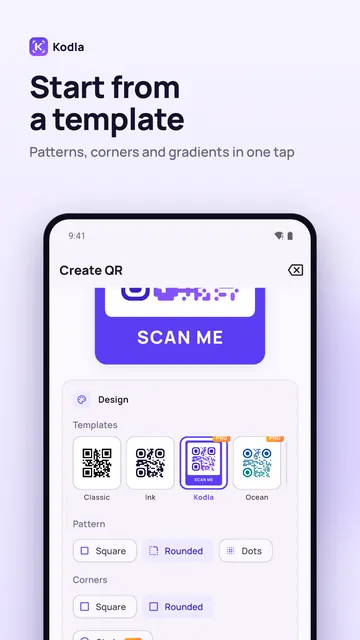
- Style the code in «Design»: colors, a template, a «Card» frame with «SCAN ME», or your logo (Pro).
- Tap «Save image» or «Share». Kodla test-scans the code before saving.
- Print it for the counter, packaging or a flyer, or post the image in your stories.
Tips
- Check the spelling of the username: one wrong letter and the code leads to someone else's profile. Scan the finished code with your own phone.
- For a Telegram group or a private channel, paste the invite link (t.me/…) instead of a username.
- WhatsApp opens a chat with your number, so use the number your WhatsApp is on — a work number is best.
- If you rename the account, the old code stops working. Make a new one.
Another guide
How to put a QR code on a photo
Place a QR code on your own picture in about a minute: pick a photo, move and resize the code, remove the white box and save in high resolution.
Wi-Fi QR code: guests join without typing the password
Create a QR code that connects phones to your Wi-Fi without typing the password. Print it for a café, office or home. Free Android app.
How to make a QR code with your logo
Put your logo in the centre of a QR code on your phone: pick a template, add the logo, colors and a frame. Kodla checks that the code still scans.
QR business card: your contact saved in one scan
Make a QR code that saves your name, phone, email and company straight to contacts. For a business card, badge or email signature. Free Android app.
Barcode generator: EAN-13, Code 128 and more
Make EAN-13, Code 128, UPC-A, Data Matrix and other barcodes on Android. Enter the data, check the preview and save a PNG for labels and price tags.